Integration Details

Restaurant Reporting Software
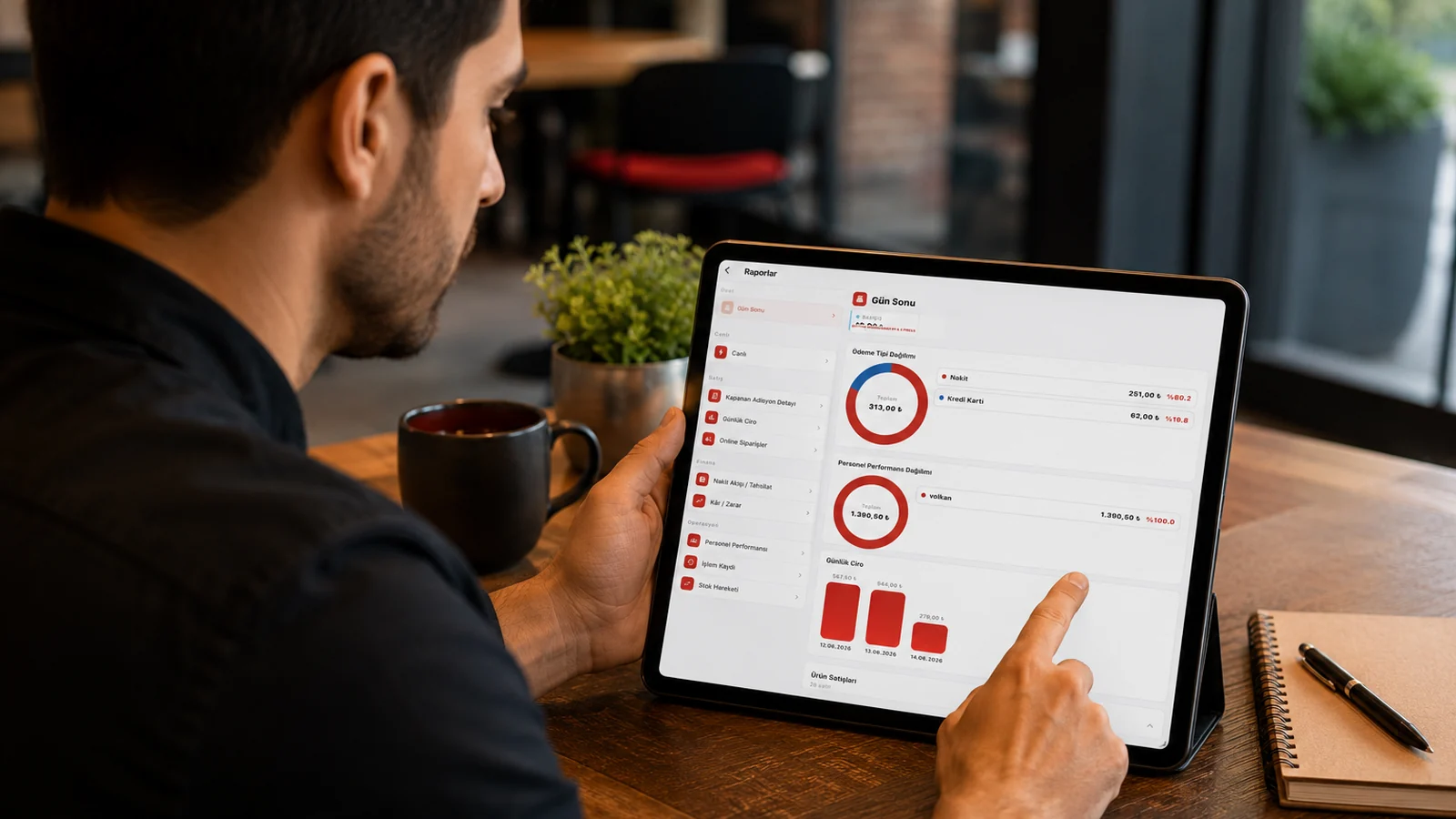
Live revenue, product, payment and staff reports

Watch revenue, product, payment and staff reports live; export to PDF/Excel and compare branches. Follow your business 24/7 by phone.

Restaurant Reporting Software

Key Highlights

Live revenue and sales report — track the day in real time.

Every check and payment recorded during the day feeds into the report, so you see total revenue, a table-usage summary, and the breakdown by payment type (cash, card, store credit) on one screen. This lets you track how the day is going before it ends and spot busy and slow hours from the daily revenue trend.

Product/category report — see top sellers and most profitable.

By ranking sales at the product and category (product group) level you see exactly how much of each dish sold, and because the profit/loss report is calculated from AVCO cost you can tell apart the top revenue earners from the items that actually leave the most profit. This helps you promote your star products and decide which low performers to drop from the menu.

Staff performance — sales by waiter/cashier.

Since every check is tied to the staff member who opened it, for the date range you choose you see each user's sales revenue, the number of checks they opened, their voided amount, and the average per check. Tapping a staff row drills into the breakdown of the products that person sold, so you can base bonus and training decisions on concrete sales figures.

PDF/Excel export and branch comparison.

You can export any report as PDF or Excel and hand it to your accountant or partners as a ready-to-use file. For multi-branch businesses you compare the same report across branches side by side with the same filters and date range, clearly seeing which location is leading and which is falling behind.

What Does This Integration Deliver?

Seeing end-of-day revenue from the phone without visiting the till

Even when you are away from the venue, you can view the day-end revenue, payment-type breakdown, and table-usage summary from your phone. You learn how the day is going without standing at the till and can step in remotely if something needs attention.

Identifying best/worst sellers to refine the menu

From the product and category report you identify your best and worst sellers along with the profit margin calculated from AVCO cost, deciding with data which dishes deserve to stay on the menu. You remove items that sell little or yield low profit and promote the strong sellers, reshaping the menu around profitability.

Measuring shift and staff sales performance

By narrowing the staff performance report to the date range you want (for example a single shift's hours) you measure each user's revenue, the number of checks they opened, their voided amount, and the average per check. You see how much each staff member sold and base your bonus, shift-planning, and training decisions on concrete figures.

Exporting sales/payment reports to Excel for accounting

You export the sales and payment report for the period you choose as Excel or PDF and hand the breakdown by payment type to your accountant as a ready-to-use file. This speeds up your period close without manually retyping figures and removes the risk of transcription errors.

Related Solutions

Frequently Asked Questions

Can I view reports from my phone?

Yes. RoxPos is cloud-based; you can watch revenue, product and staff reports live 24/7 from your phone or browser, even off-site.

What report types are available?

Revenue/sales, product and category, payment type, staff performance, discount/complimentary and branch comparison reports, all filterable by date range.

Can I export reports?

Yes. You can export reports as PDF or Excel; sales and payment data is easy to share for accounting or archiving.

Can I compare multiple branches?

Yes. The comparative report shows branch revenue and performance side by side; you consolidate multi-branch and franchise operations in one panel.