Support · Fiscal POS
Ingenico Integration Setup
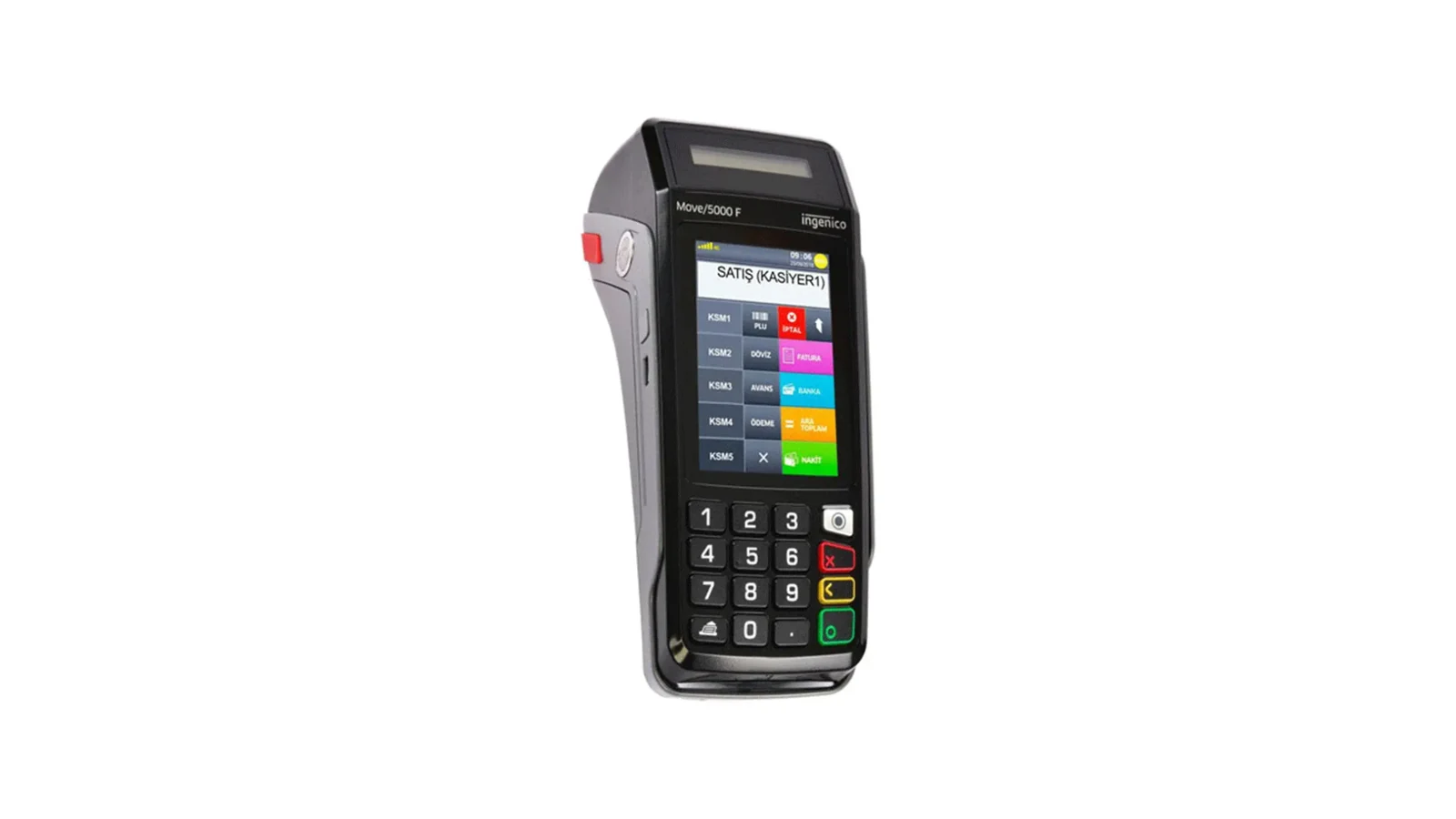
With the Ingenico fiscal POS integration in RoxPos, you can link collection, payment and receipt flows to your checks and manage them in a single operation.
Download RoxOKCingenico
⚠️ Extract the zip to a permanent folder (e.g. C:\RoxOKCingenico) and run RoxOKCingenico.exe; the program then starts with Windows. If "Windows protected your PC" appears, the file is not harmful: choose "More info → Run anyway".
SHA-256 · RoxOKCingenico.exe: 7d49fb36001e68760343373b7f39090e439b5f46be06edaf50318b2dce318325
Setup Steps
1. Prepare the Ingenico Device
- Have your Ingenico device's connection and terminal/serial details ready.
- Make sure the device is connected to your business's local network and up to date.
- Contact the RoxPos support team to start the activation suitable for your device model.
2. Define It in the RoxPos Panel
- In the admin panel, go to Settings > Integration > POS Integration.
- Select Ingenico as the provider and enter the device/terminal details.
- Save the definition; the device is assigned to the relevant branch.
3. Test and Go Live
- Send a payment through a test check to verify communication with the device.
- Check that the receipt/document printout and the collection record are reflected correctly in the panel.
- If there is an issue, our support team provides remote guidance.
Why Use It?
- Payment and collection are taken through the Ingenico device and posted to the check automatically.
- Receipt/document processes run integrated with the operation.
- Collection records are reflected correctly in the reports.
- Wired (GMP3) — the RoxOKCingenico program on the till's Windows PC prints the receipt on the device over the same network or USB; the payment type is chosen in RoxPos (required) and collection starts right away.
- Wireless (TMS) — the device pulls the bill from RoxPos itself; no computer or program is needed and the cashier picks the payment type on the device.
- Split payment and basket discount — on the wired connection card, cash and meal card go on the same receipt; the bill discount is printed as a discount on the receipt total.
- VAT in the right department — the program reads the device's VAT / department table and picks the department matching the item's VAT rate; no products need to be set up on the device.
Frequently Asked Questions
What is the difference between wired (GMP3) and wireless (TMS)?
With the wired connection the RoxOKCingenico program is installed on the till's Windows PC; it prints the receipt sent from RoxPos on the device connected over the same local network or a USB cable, the payment type is chosen in RoxPos and collection starts immediately. With the wireless connection the device pulls the bill from RoxPos itself; no computer or program is needed, the cashier picks the payment type on the device and the result is written to RoxPos automatically.
Which one should I choose?
For a device that stays at the till and can connect to a computer, choose Wired (GMP3) for the fastest collection and split payments; for a handheld device taken to the table, choose Wireless (TMS). The connection type is chosen and saved for the Ingenico terminal in Settings > POS Integration.
Is the payment type chosen on the device or in RoxPos?
With the wired connection it is chosen in RoxPos and is required; it must be a type linked to the fiscal device, and types not linked to it are never sent to the device. The Adapt for Ingenico button in Settings > Payment Types maps cash, card and meal cards to the device's codes. With the wireless connection the bill goes without a type and the cashier picks it on the device.
Is an additional device required for the Ingenico integration?
Your existing Ingenico device is enough. RoxPos runs in the cloud; the activation steps are completed together with our support team.
Are collections reflected in the reports?
Yes. Payment and collection records are reflected in the reports by channel; you see turnover and payment breakdown from a single panel.
Can I use it in multiple branches?
Yes. You can define a separate device for each branch, manage all branches from a single account and get comparative reports.