Integration Details

Cloud POS System for Restaurants
Runs in the browser, data safe in the cloud

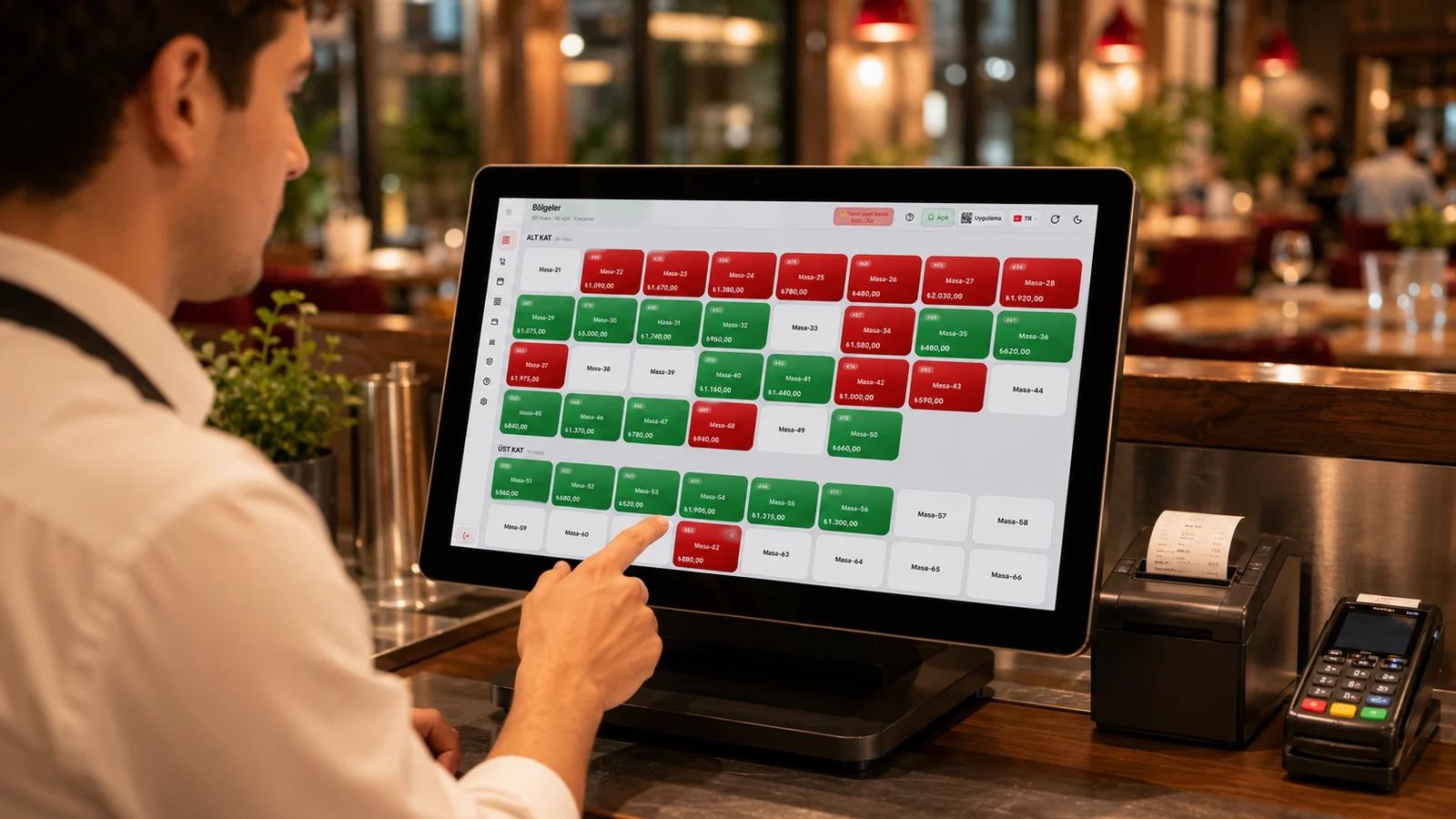
RoxPos runs fully in the cloud; start from a browser with no install. With this web-based cloud POS your data stays safe and reachable from any device.

Cloud POS System for Restaurants

Key Highlights

No-install start — sign in from a browser and start selling.

Because RoxPos runs entirely in the cloud, there is no software, driver, or local server to install; you simply sign in with your account from an iPad, iPhone, Android tablet or phone, or any web browser. The moment you log in your menu, tables, and prices are ready, so you can open your first order and start selling within minutes. You are not tied to any single operating system and can begin on whatever device you already have.

Data in the cloud — auto-updates, no version hassle.

All your menu, sales, and stock data is kept in central cloud infrastructure, so every device sees the same up-to-date information without any manual syncing. New features and improvements are rolled out on the server side, which means you never have to install updates on each terminal or deal with version mismatches. A price or menu change you make on one device is reflected on all the others instantly.

Access from any device — till, office and phone share one dataset.

The tablet at the counter, the computer in the office, and the phone in your pocket all connect to the same cloud account, so everyone sees the same live data; sales, table status, and stock update simultaneously on every screen. The waiter opening an order in the dining room, the manager reviewing reports in the office, and the owner who is out all work from a single source of truth. This removes any need to copy data between devices or reconcile figures at the end of the day.

Backed-up infrastructure — your data is kept safely central.

Your business data is stored in central cloud infrastructure rather than on a single device's disk, so the safety of your records does not depend on the hardware in your hands. Because orders, sales, and stock movements are kept on the server side, your history stays intact even if a tablet or computer is lost. With permission and role definitions you ensure that only the users you authorize can reach that data.

What Does This Integration Deliver?

Opening a new branch from a browser without installing hardware

When you add a new branch to your chain, you sign in to your cloud account through a browser from an existing tablet or computer, with no need to install a dedicated server or POS software on site. Thanks to the multi-branch structure, you define the new branch's menu, prices, and user permissions centrally and have it ready for sales on opening day. Bringing a location online therefore stops being a technical installation project and becomes a task that takes only minutes.

Watching the business live from home or on the go by phone

Thanks to the cloud infrastructure, you can sign in from a browser on your phone at home or on the road and see the day's sales, open tables, and turnover live without being physically at the venue. With round-the-clock mobile management and live reporting you track how each branch is performing in real time and compare multiple branches when needed. This way you keep a finger on the pulse of the business even when you are away from the floor.

Staying always up to date without update overhead

Because RoxPos runs in the cloud, new features and improvements are deployed on the server side; you never have to install updates on each terminal one by one or halt operations for maintenance. The next time you log in, the latest version is already there, and no version gap arises between devices. As a result your staff always work with the same interface, and the risk of incompatibility or errors caused by outdated versions disappears.

Continuing without data loss even if a device breaks

Because your data is stored in the central cloud rather than in a device's memory, your order, sales, and stock history stays in place even if a tablet is dropped, breaks, or is stolen. You simply log in to the same account from a spare tablet, phone, or computer and carry on selling right where you left off. A hardware failure therefore stops being a crisis that halts your workflow and is reduced to merely swapping a device.

Related Solutions

Frequently Asked Questions

What does cloud POS mean?

A cloud POS runs the data and software on internet servers instead of a local computer. You sign in via a browser from your device and use it with no installation.

Is my data safe?

Your data is stored and backed up in central cloud infrastructure; even if your device breaks or changes, you sign in with the same account and pick up where you left off.

What if the internet drops?

RoxPos is cloud-based; a stable internet connection is recommended for uninterrupted use. Operations sync when the connection returns.

Do I need to buy hardware?

No. The cloud POS runs in a browser on your existing tablet, phone or computer; you can add hardware like a printer or drawer later if you want.