Integration Details

Mobile POS System for Restaurants
Sell, manage tables and view reports from phone/tablet

With RoxPos mobile POS, take sales, manage tables and view reports from a phone or tablet. A no-install mobile till on iPhone, iPad and Android.

Mobile POS System for Restaurants

Key Highlights

Order tableside — take and send the order next to the guest.

A server holds a phone or tablet right at the table, enters the order instantly and attaches it to the check; the order is routed straight to the relevant kitchen printer without a trip back to the register. This removes the paper-note-then-retype step, cutting order mistakes and the time it takes to reach the kitchen. Eye contact with the guest is kept while service moves faster.

Checks, tables and quick sale in your pocket — one app.

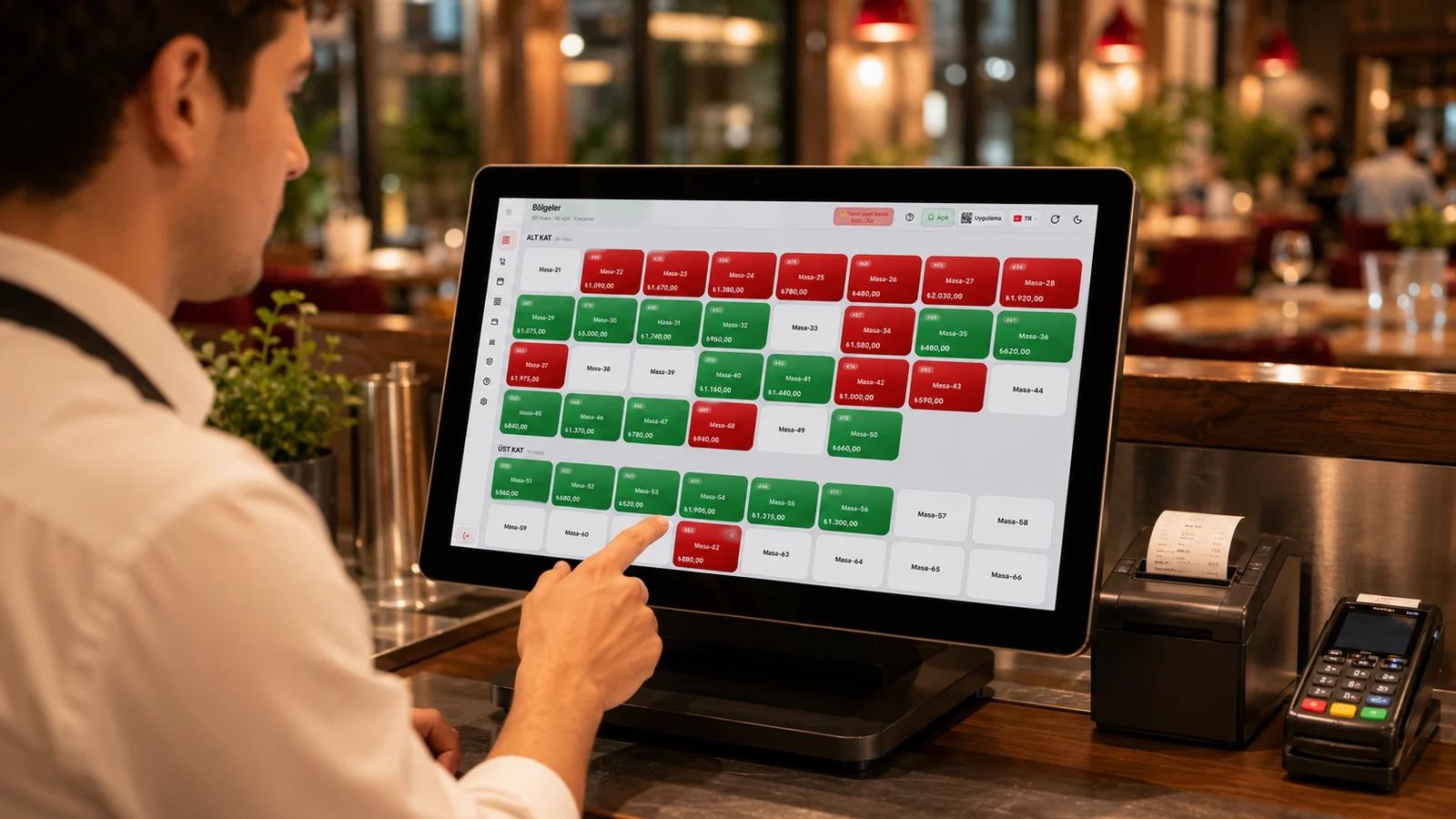
Within the same mobile app you manage open checks, view the table layout and take instant payment through a quick-sale screen for counter situations. Because split and mixed payments are supported, one table's bill can be divided across cash, card and store credit. The whole sales flow is handled from one screen without switching devices or separate programs.

Mobile reports — see revenue without being on-site.

Thanks to the cloud-based setup you reach live daily revenue, sales and profit/loss reports from your phone, with no need to be physically on site. For chains you can compare branches side by side and export reports as PDF or Excel. This way you keep a finger on the pulse of the business wherever you are.

No-install on iPhone, iPad and Android — bring your device.

Because RoxPos runs in the cloud it needs no installation or special hardware on iPhone, iPad, Android phones/tablets and Windows/Mac computers; no dedicated POS hardware is required. As soon as you sign in on your existing device you reach the same data, so you avoid buying extra register terminals. This lowers the startup cost and lets staff work on devices they already know.

What Does This Integration Deliver?

A waiter taking orders tableside on a handheld

At the table the server enters the items the guest dictates into the check from a phone or tablet, and the moment it is confirmed the order is automatically routed to the relevant kitchen printer. Since walks back and forth to the kitchen disappear during rush hours, one server can cover more tables and orders reach the line without mistakes.

Mobile selling across a large garden/terrace

In areas far from the register such as a garden, terrace or different floors, the server sees the table layout on a mobile device, takes the order on the spot and closes the bill right there. Thanks to split and mixed payment support a group at a large table can pay separately across cash and card, and nobody has to walk to the register.

Quick payment by phone at an event or stand

At places without a fixed register such as a festival, fair or temporary stand, you use the phone with the quick-sale screen to pick the product and take payment instantly. Since no installation or special hardware is needed you can start selling with a single phone; cash and card payments are recorded from the same screen and the sales flow into live reports.

An owner checking revenue from the phone during the day

While away from the venue the owner signs in from a phone and sees current revenue, sales and the profit/loss picture in real time. If there are multiple branches they compare them and instantly spot which one is lagging, and when needed download the report as PDF or Excel to share with their accountant.

Related Solutions

Frequently Asked Questions

Which devices does mobile POS run on?

It runs on iPhone, iPad and Android phones/tablets. As it is cloud-based, no installation is needed; you sign in from your device and start selling tableside.

Can I do all POS actions from a phone?

Yes. Taking orders, managing tables, payment and viewing reports work from the phone; the screen adapts to small devices and you see what your permissions allow.

Can I print from mobile POS?

Yes. Orders route to the kitchen/bar printer by category and receipts print at the cashier printer; mobile sales use the same printing setup.

Does mobile POS share data with the cloud POS?

Yes. Mobile, web and other devices use the same cloud account; a check opened on the phone shows on the till, and a till order shows on the phone instantly.