Integration Details

QR Ordering System for Tables
Guest scans at the table, order reaches the kitchen

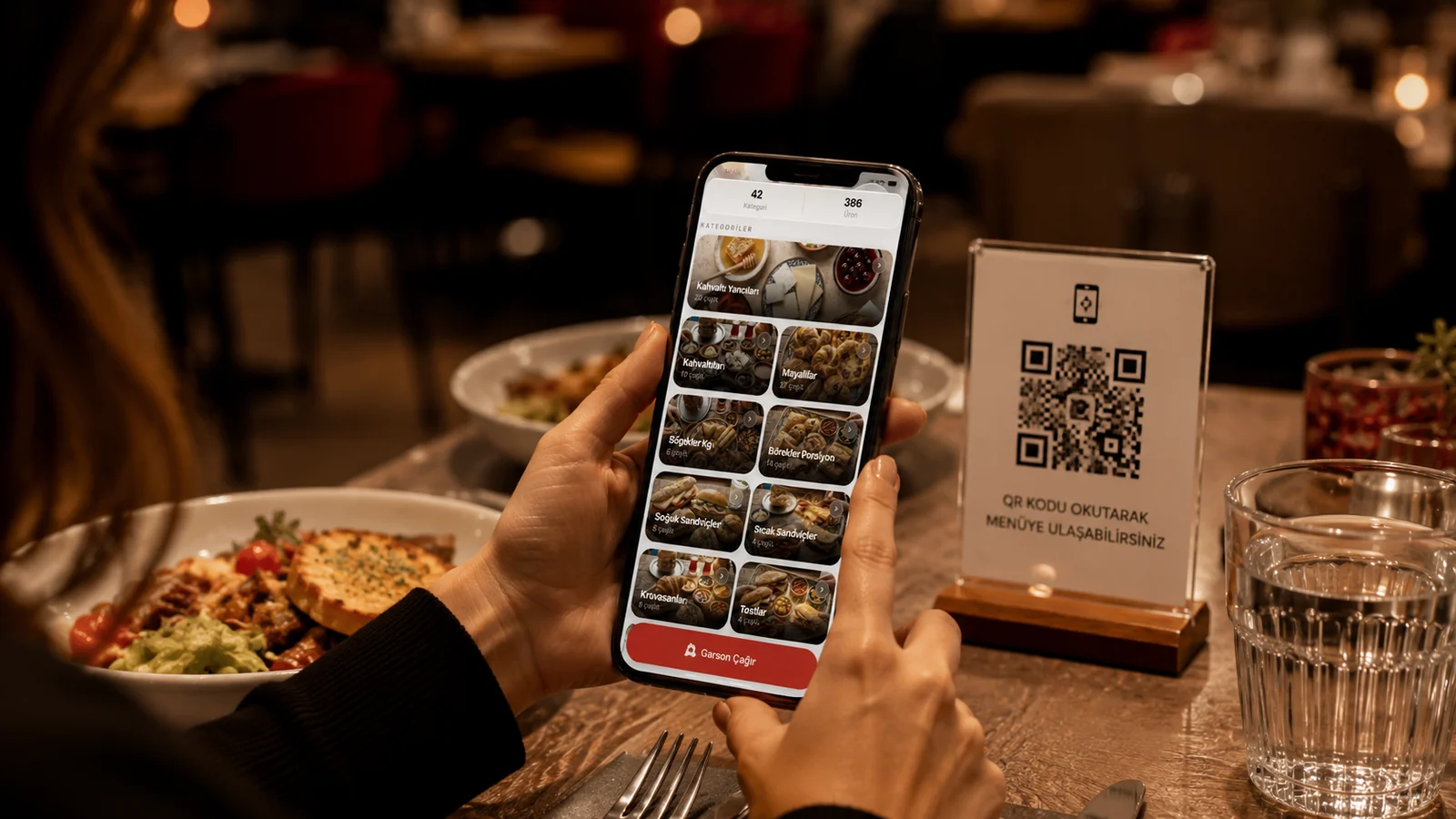
Guests order from the table QR with their own phone; the order drops instantly onto that table's check and the kitchen screen. Less waiter load.

QR Ordering System for Tables

Key Highlights

Orders drop straight onto the table's check — no re-entry.

When the guest scans the table QR code and submits their selection, the order is tied to that table and, once a waiter approves it, is posted automatically to the table's open check. The waiter no longer has to listen to each item and type it into the POS from scratch, which cuts manual entry errors and wrong-table mismatches. Because approved items are added to the check, every product appears on the same bill when it is time to pay.

Routes instantly to the kitchen screen/printer — prep starts sooner.

The moment the waiter approves the order, each item is routed to the matching kitchen printer or kitchen screen according to the preparation station the product is linked to. Drinks go to the bar and hot dishes to the kitchen, so the team sees the item without waiting for it to be re-entered into the POS and begins preparing. This shortens the prep-to-serve time after approval and keeps tickets from piling up on one person during rush hours.

Guests add more orders at their own pace; no waiting for a waiter.

When a guest decides mid-meal on a dessert or a second drink, they submit it themselves from the same QR code, and once the waiter approves it the items are added to the same check. Since there is no need to flag down a waiter and wait to give the order, add-on sales opportunities are not lost and the table flows at its own pace. As a result, extra orders move along without piling up while staff attend to other tables.

Integrated with waiter call — ordering and calls in one flow.

From the same QR menu screen the guest can both submit an order and, when needed, call a waiter to the table, so the two actions come together in a single flow. Because the waiter call reaches staff as a notification, the guest does not have to raise a hand and wait. Managing orders and service requests from one screen clarifies who needs what across the dining room and reduces confusion.

What Does This Integration Deliver?

Letting tables order before a waiter is free during rush

During lunch and dinner rushes, when reaching every table at once becomes hard, guests enter and submit their own selection from the QR code and start the process without waiting. Because incoming orders flow to the check and the kitchen after the waiter approves them, orders queue up and are not lost even when staff have their hands full. As a result, order intake does not bottleneck on a single waiter even at the busiest hours.

Speeding up ordering and prep in a self-service cafe

In a self-service café, the guest submits an order from the QR code as soon as they sit down, and once staff approve it the item appears on the barista screen or the preparation printer. Since the verbal order-taking step is removed, staff can approve the order quickly and focus directly on preparation. This flow noticeably shortens waiting time at cafés aiming for fast turnover.

Reducing order errors — guests select exactly what they want

Because the guest selects the product themselves from a four-language menu (TR/EN/DE/ES) with images, misunderstandings and missed notes caused by verbal communication are largely prevented. Since the selection is sent as an order and moves to the check upon the waiter's approval, losses that occur when a waiter relays it from the table to the POS are reduced. Correct orders cut costly corrections such as returns and comps, protecting both customer satisfaction and profitability.

Serving more tables with fewer staff

Because the order selection moves to the guest's phone, the waiter's burden of taking down items one by one at the table is reduced, and the waiter can approve incoming orders and focus on service and payment. Even on shifts with limited staff, tables can submit orders, so the service flow does not stall. This lets the business run a larger dining room more comfortably with fewer people.

Related Solutions

Frequently Asked Questions

Is QR ordering different from the QR menu?

The QR menu shows items; QR ordering lets the guest send an order from the table. In RoxPos they work together: the guest views the menu and orders from the same screen.

Where does the order go?

The order lands on the seated table's check and routes to the relevant kitchen/bar printer or screen by item category; cashier and kitchen see it instantly.

Can I prevent unconfirmed orders?

Yes. You can set whether an order goes straight to the kitchen or passes staff approval first, so you control the flow to suit your venue.

Does the guest need an app?

No. QR ordering opens in the browser; guests order from the table with no app install and no sign-up.